
Telegram is one of the best apps for showing off fancy letters. Your name, your bio, your channel and group titles and your messages can all use stylish fonts like bold, script, gothic or bubble letters. Type your text in the generator below, pick a style and copy it straight into Telegram.
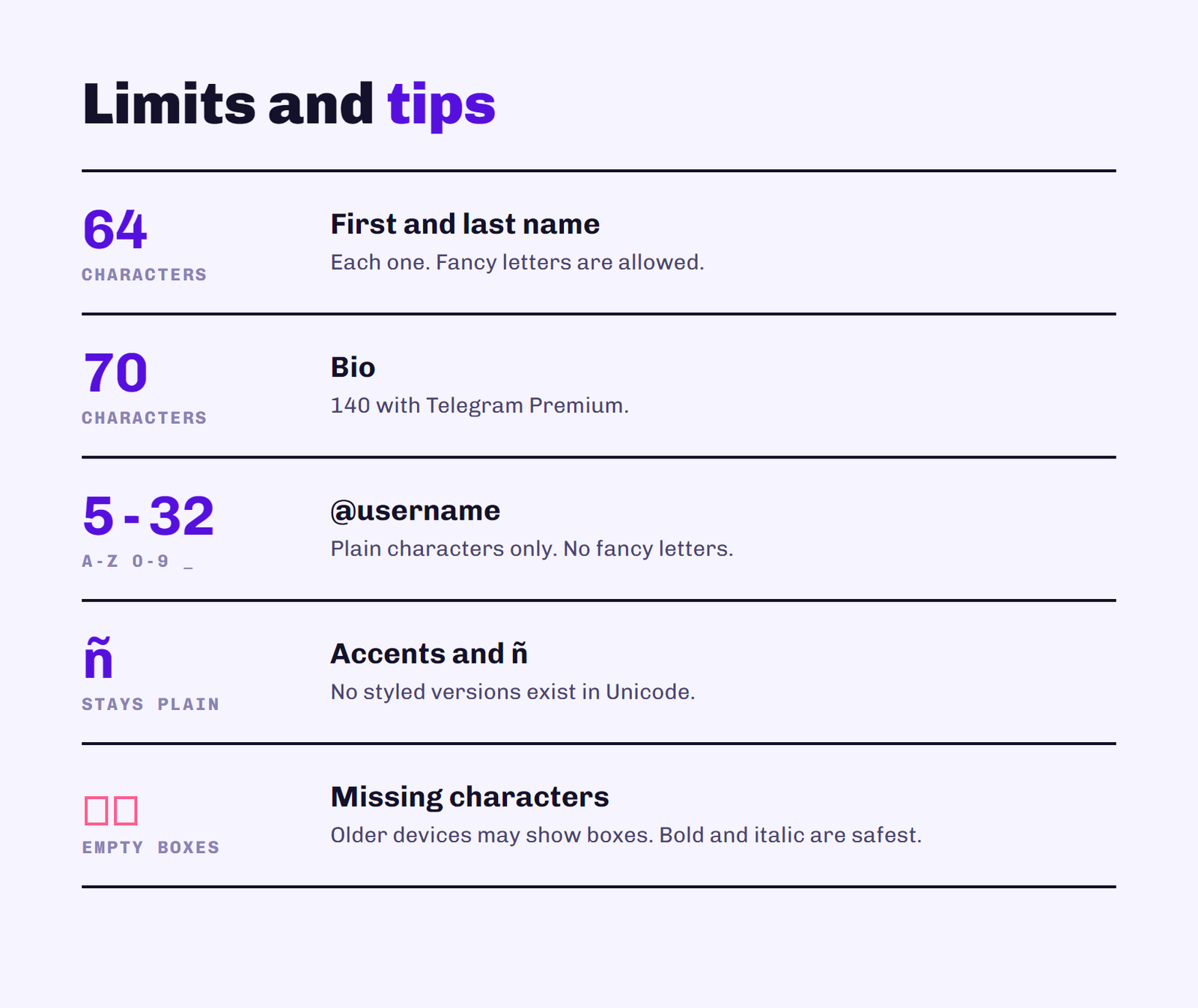
Tip: accented letters and ñ have no fancy version in Unicode, so they stay plain.
Below you’ll find where fancy letters work on Telegram, how to use them step by step, which styles look best, and the limits you need to know so your name doesn’t get rejected.
What Are Letras Para Telegram?
These “fonts” aren’t really fonts. They’re special Unicode characters that look like styled letters, borrowed from math and symbol alphabets. Because they’re characters rather than formatting, you can copy them anywhere and they keep their look. That’s why a name written in script letters still shows up in script on your friend’s phone.
Telegram also has its own built-in formatting for messages, like bold and italic. Fancy letters are different: they work in places where Telegram’s formatting doesn’t, like your name and bio.
Where Fancy Letters Work on Telegram
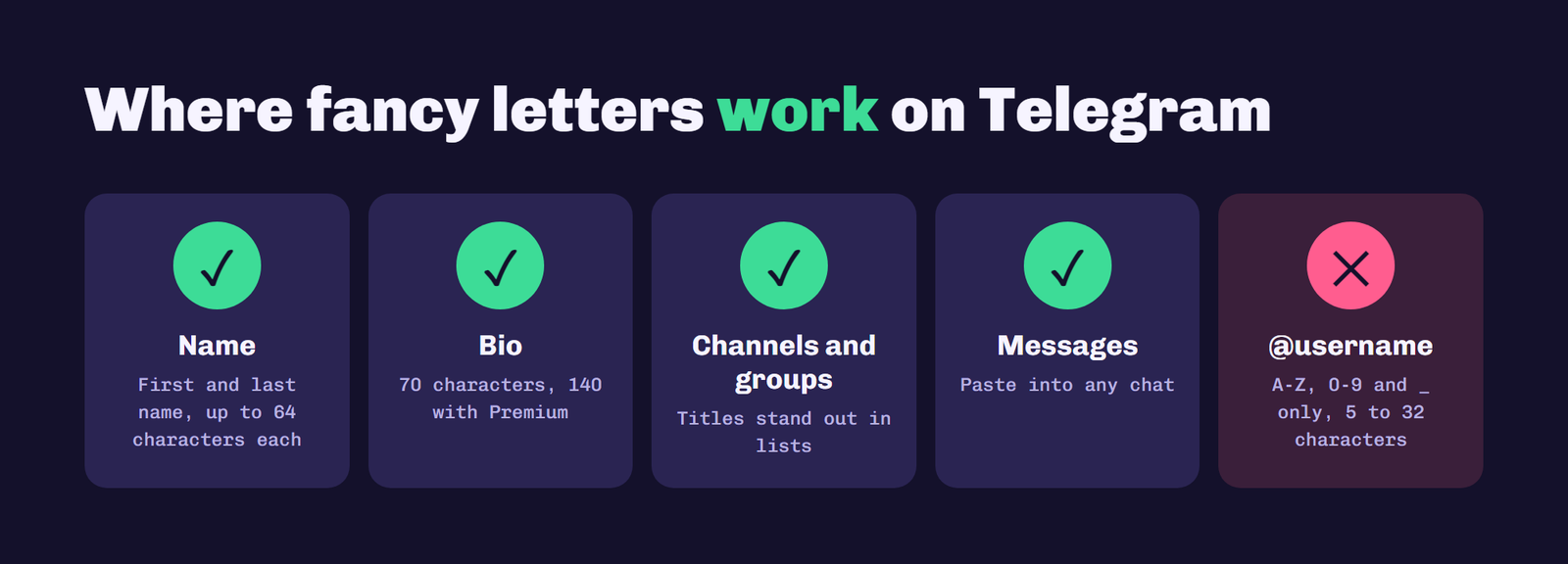
Your name: yes. Your first and last name can include fancy letters, symbols and emojis. Each can be up to 64 characters.
Your bio: yes. The bio is a great place for styled text. Keep in mind it’s limited to 70 characters, or 140 with Telegram Premium, and fancy letters can take up more space than normal ones.
Channel and group names: yes. Styled titles help a channel stand out in search results and chat lists.
Messages: yes. You can paste fancy text into any chat.
Your @username: no. According to Telegram’s own API documentation, usernames only accept the letters A to Z, numbers 0 to 9 and underscores, with a length of 5 to 32 characters. Fancy letters will be rejected there, so use them in your name instead.
How to Use the Generator
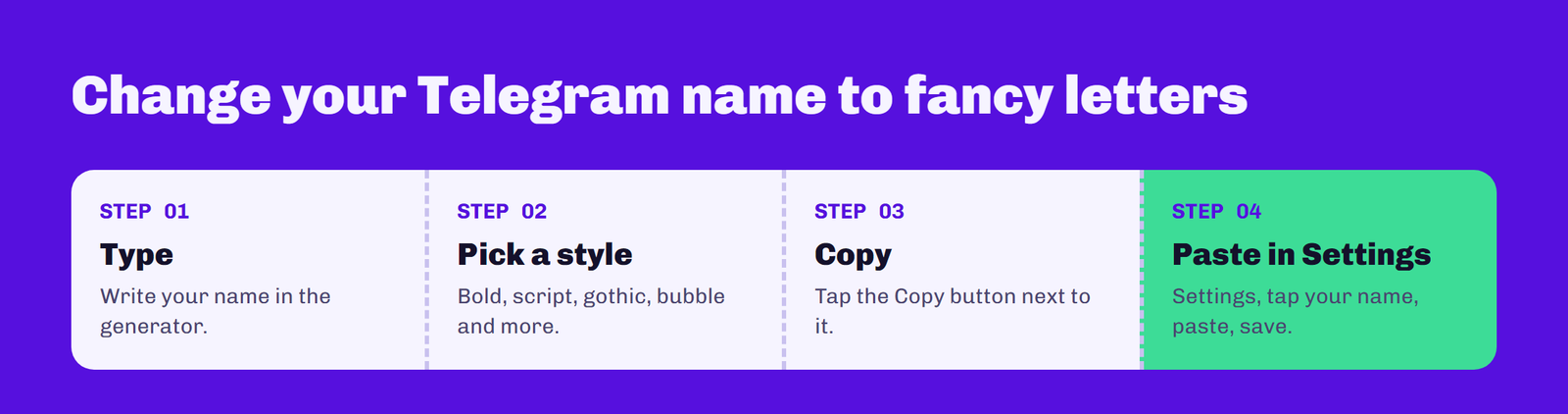
1. Type your text
Write your name, bio or message in the box at the top of this page.
2. Look through the styles
Every style updates instantly as you type, so you can compare them side by side.
3. Copy your favorite
Press the Copy button next to the style you want.
4. Paste it into Telegram
Open Telegram, go to Settings, tap your name or bio, paste and save. For channels and groups, open the channel info and edit the name.
Best Font Styles for Telegram
Bold is the safest choice. It’s readable, it works almost everywhere, and it makes your name pop in a group chat. Script looks elegant and suits personal profiles and aesthetic channels. Gothic is great for gaming groups and dark themes but can be hard to read in long text. Small caps look clean and tidy in channel titles, and bubble letters are playful and fun for personal names.
If you use fancy letters on other apps too, see our guides to letras para instagram and letras para facebook.
The Problem With Ñ and Accents
Unicode’s styled alphabets only cover the basic letters A to Z. There’s no fancy ñ, á, é, í, ó or ú, so the generator leaves them as normal letters. A name like “Begoña” will come out with one plain letter in the middle. If that bothers you, choose a style like bold where the difference is less obvious, or style only part of your name.
Tips for Using Fancy Letters
Don’t overdo it. A styled name is eye-catching, but a whole bio in gothic letters is hard to read. Mix one fancy word with normal text for the best result. Also remember that people search for you by typing normal letters, so a fully styled name can be harder to find. Your @username still works for search and mentions, which is one more reason to keep it simple.
Compatibility
Most modern phones and computers display these characters without problems. On older devices, or if the font on someone’s device is missing a character, they may see empty boxes instead. Bold and italic are the most widely supported. If you see boxes, try a different style.
Frequently Asked Questions
Can I use fancy letters in my Telegram username?
No. Telegram usernames only accept the letters A to Z, numbers 0 to 9 and underscores, and must be 5 to 32 characters long. Use fancy letters in your name or bio instead.
How do I change my Telegram name to fancy letters?
Type your name in the generator above, copy the style you like, then open Telegram Settings, tap your name, paste it and save.
Why do my fancy letters show as boxes?
The device viewing them doesn’t have a font that includes those characters. Bold and italic styles are the most widely supported.
How long can a Telegram bio be?
A Telegram bio can be up to 70 characters, or 140 characters with Telegram Premium.
Why doesn’t the ñ change style?
Unicode’s styled alphabets only include the basic letters A to Z, so there is no fancy ñ or accented vowel. Those letters stay plain.
Conclusion
Fancy letters are an easy way to make your Telegram profile, channel or group stand out. Use them in your name, bio, titles and messages, keep your @username plain, and pick well-supported styles like bold when readability matters. Type your text in the generator at the top of the page and copy your favorite style in seconds.