Want your Twitch stream title, panels or chat messages to stand out? Letras para Twitch, like bold, script, gothic or bubble letters, are an easy way to do it. Type your text in the generator below, pick a style and copy it straight into Twitch.
Tip: accented letters and ñ have no fancy version in Unicode, so they stay plain.
Below you’ll find where fancy letters actually work on Twitch (it’s not where most people think), how to use them, the best styles for streamers, and why Spanish names with ñ need a little extra care.
What Are Letras Para Twitch?
These aren’t really fonts. They’re special Unicode characters that look like styled letters, taken from math and symbol alphabets. Because they’re characters, not formatting, they keep their look wherever you paste them, including Twitch titles and chat.
Where Fancy Letters Work on Twitch
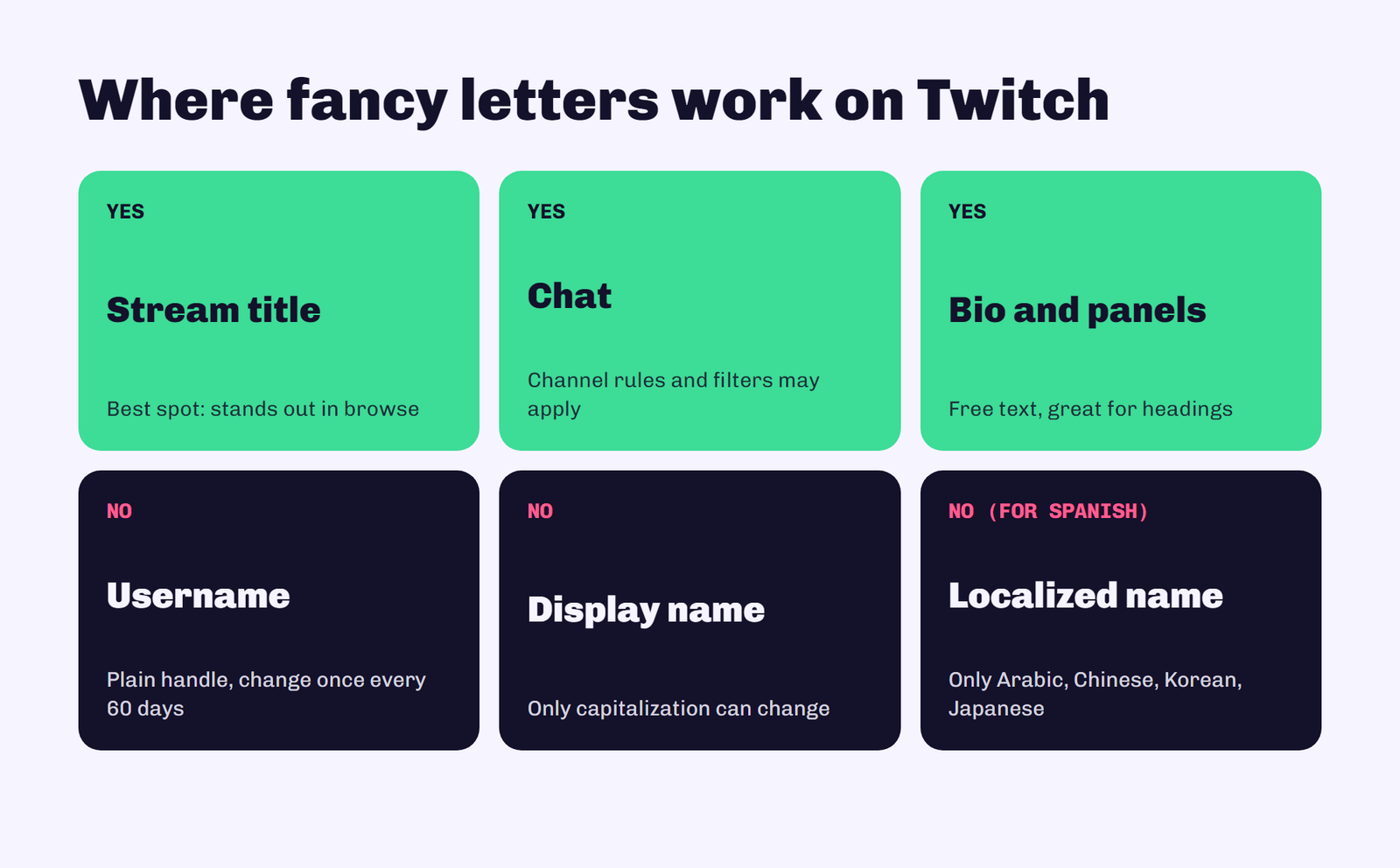
Stream title: yes. This is the best place for fancy letters. A styled word in your title helps your stream catch the eye in the browse directory.
Chat messages: yes. You can paste styled text into chat, though channels can set their own chat rules and filters, so keep it light.
Bio and panels: yes. Your About section and panel text are free text, so styled headings work well there.
Username: no. Twitch usernames are plain handles. They must be at least 4 characters, and you can only change your username once every 60 days, so it’s not the place to experiment.
Display name: no. On Twitch, your display name can only change the capitalization of your username. It has to use the same characters in the same order, so fancy letters won’t work there either. Twitch does offer localized display names, but only for Arabic, Chinese, Korean and Japanese, not Spanish.
How to Use the Generator
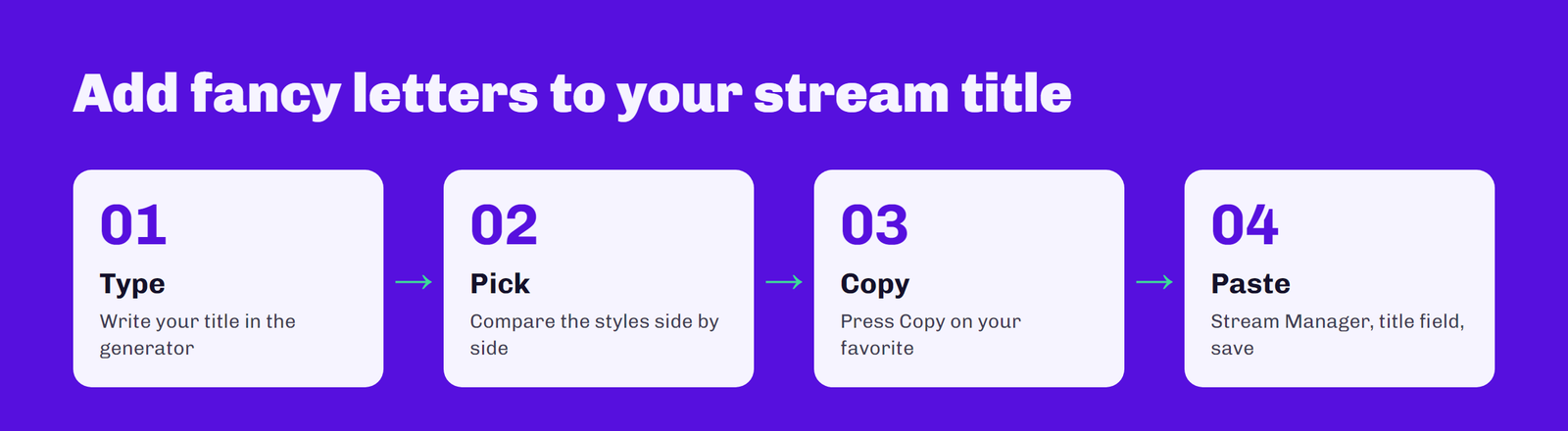
1. Type your text
Write your stream title, a panel heading or a chat message in the box at the top of this page.
2. Compare the styles
Every style updates as you type, so you can see them side by side.
3. Copy your favorite
Press the Copy button next to the style you want.
4. Paste it into Twitch
Open your Stream Manager to edit the title, or go to your channel’s About page to edit panels and bio, then paste and save.
Best Font Styles for Streamers
Bold is the most readable and works well for one key word in a title, like a game name or “LIVE”. Gothic suits horror, RPG and dark-themed channels. Monospace looks techy and fits coding or speedrun streams. Bubble letters are fun for chill or cozy streams, and small caps look clean on panel headings.
Using fancy letters on other platforms too? See our guides to letras para telegram and letras para instagram.
The Problem With Ñ and Accents
Unicode’s styled alphabets only cover the basic letters A to Z. There’s no fancy ñ, á, é, í, ó or ú, so those letters stay plain. A title like “Jugando con mi compañero” will have a plain ñ in the middle of a styled word. If that bothers you, style only the words without special letters, or use bold where the difference is least noticeable.
Tips for Using Fancy Letters on Twitch
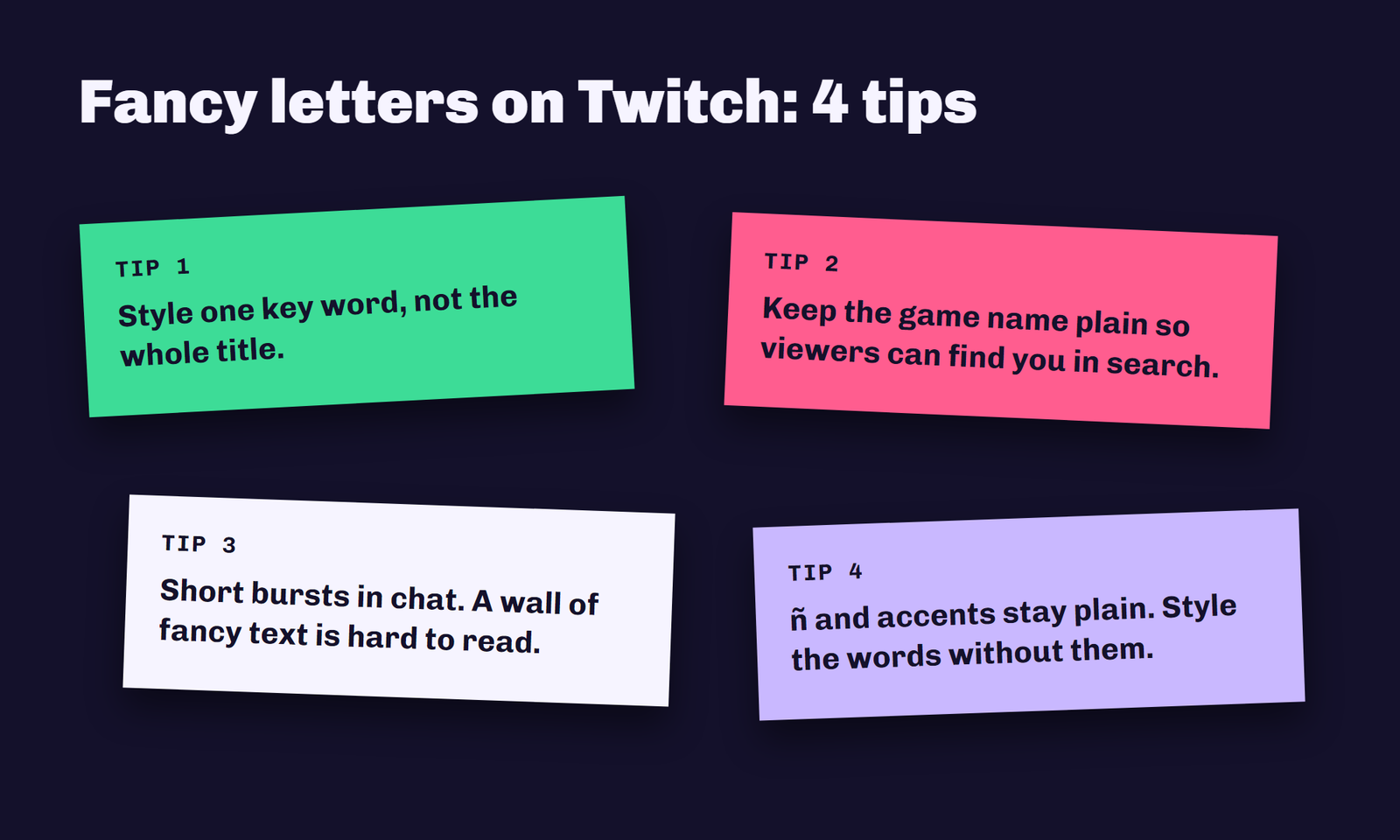
Style one word, not the whole title. Viewers search Twitch with normal letters, so if your entire title is in gothic characters, it may not match their search. Keep the game name and key words plain, and use a styled word for flair. In chat, a styled message stands out, but a wall of fancy text is hard to read and some channels’ moderators don’t like it.
Compatibility
Most modern browsers, phones and the Twitch app display these characters fine. On older devices, or if a font is missing a character, viewers may see empty boxes. Bold and italic are the most widely supported styles.
Frequently Asked Questions
Can I use fancy letters in my Twitch name?
Not in your username or display name. Your display name can only change the capitalization of your username. Use fancy letters in your stream title, bio, panels and chat instead.
How do I put fancy letters in my Twitch stream title?
Type your title in the generator above, copy the style you like, then paste it into the title field in your Stream Manager and save.
How often can I change my Twitch username?
Once every 60 days. Display name capitalization can be changed at any time.
Why doesn’t the ñ change style?
Unicode’s styled alphabets only include the basic letters A to Z, so there is no fancy ñ or accented vowel. Those letters stay plain.
Conclusion
On Twitch, fancy letters shine in your stream title, bio, panels and chat, not in your username or display name. Keep your searchable words plain, style one word for flair, and pick readable styles like bold. Type your text in the generator at the top of the page and copy your favorite style in seconds.