Want your YouTube channel to stand out in comments, descriptions and community posts? Letras para YouTube, like bold, script, gothic or bubble letters, are a quick way to do it. Type your text in the generator below, pick a style and copy it straight into YouTube.
Tip: accented letters and ñ have no fancy version in Unicode, so they stay plain.
What Are Letras Para YouTube?
Letras para YouTube are fancy-looking letters made from special Unicode characters. They aren’t a font you install. Each styled letter is a different character, like the mathematical bold or script letters, so it keeps its look wherever the text is pasted. That’s why you can copy them into YouTube even though YouTube doesn’t let you change fonts.
Because they’re real characters, they work in most places that accept text. But YouTube treats some fields differently, so it helps to know where they’ll show up and where they won’t.
Where Fancy Letters Work on YouTube
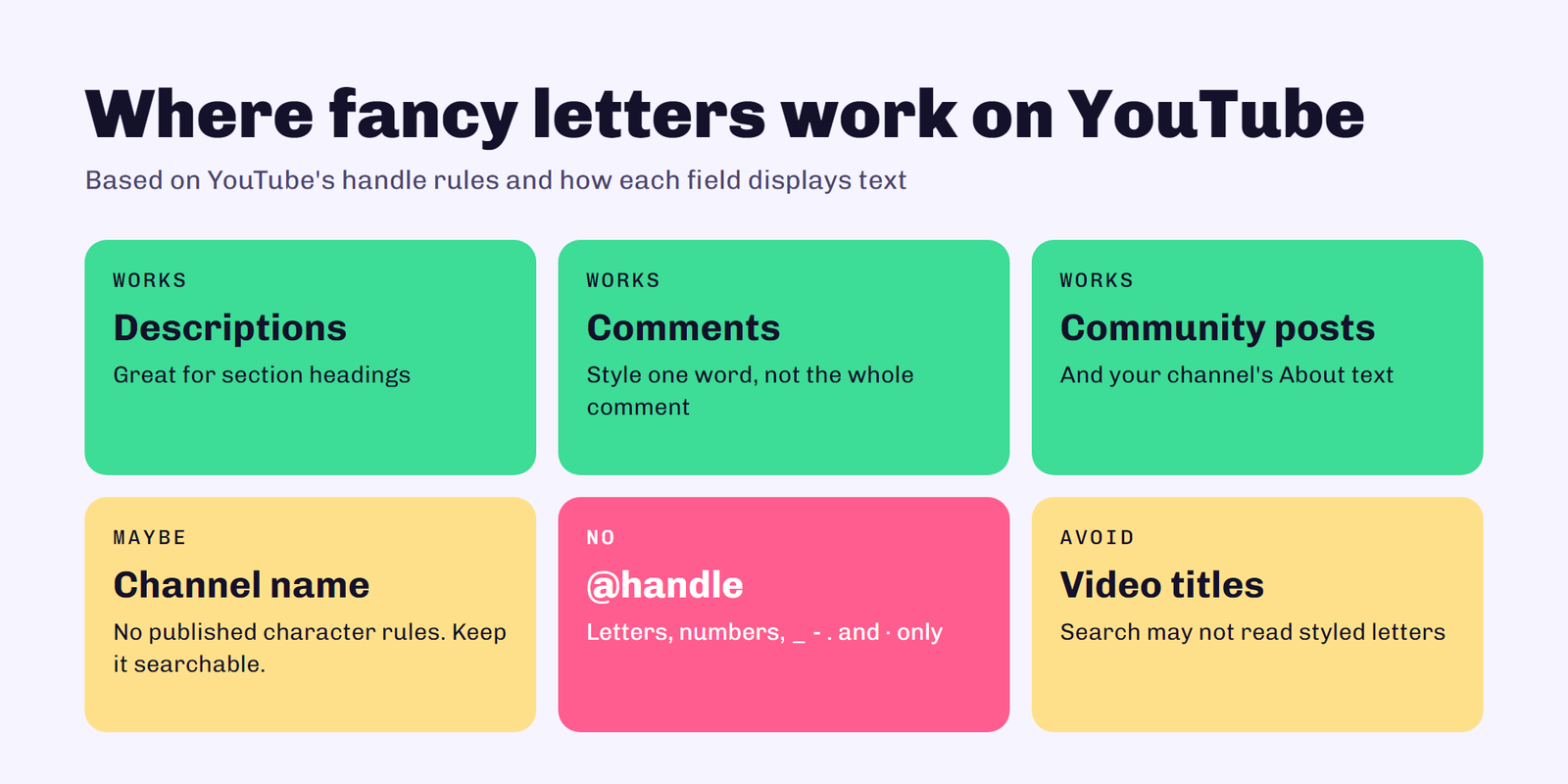
Fancy letters usually display fine in your video descriptions, comments, community posts and your channel’s About description. You can also try them in your channel name, since YouTube’s help pages don’t list character rules for it beyond following the Community Guidelines. Keep it readable, though: a name people can’t search for is a name people can’t find.
Your handle is different. According to YouTube’s handle rules, a handle must be 3 to 30 characters and use letters or numbers from one of 75 supported languages, plus underscores, hyphens, periods and Latin middle dots. Decorative Unicode letters aren’t on that list, so fancy fonts won’t work in your @handle.
How to Use the Generator
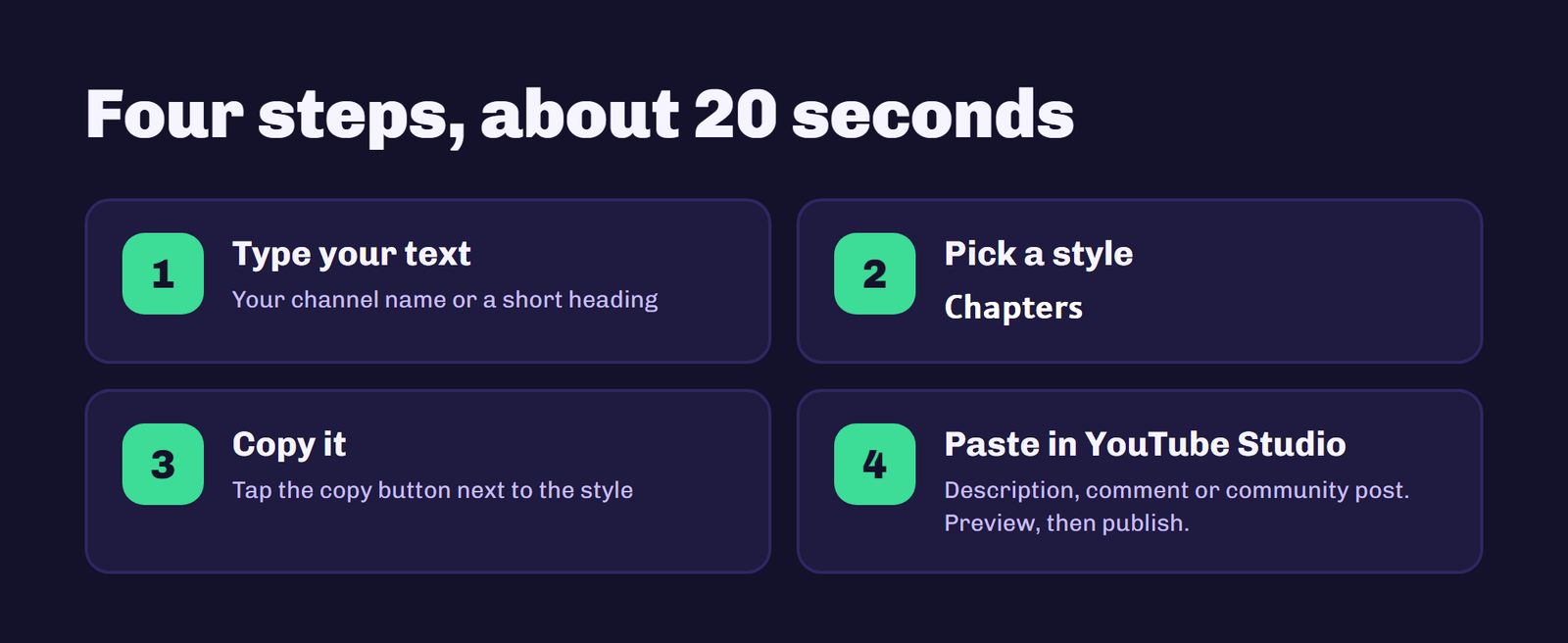
1. Type your text
Write the word or phrase you want to style in the box at the top, like your channel name or a short tagline.
2. Compare the styles
Every style updates as you type. Scroll through and see which one fits your channel’s vibe.
3. Copy your favorite
Tap the copy button next to the style you like. It’s now on your clipboard.
4. Paste it into YouTube
Open YouTube Studio or the YouTube app and paste it into your description, comment or community post. Preview it before you publish to make sure it looks right.
Best Font Styles for YouTubers
Bold and sans bold are the easiest to read and work well for section headings in long descriptions, like “Chapters” or “Links”. Script letters suit beauty, lifestyle and wedding channels. Gothic letters fit gaming, horror and metal music channels. Bubble letters feel playful and work for kids’ and family content. Use one style consistently so your channel looks put together, not random.
The Problem With Ñ and Accents
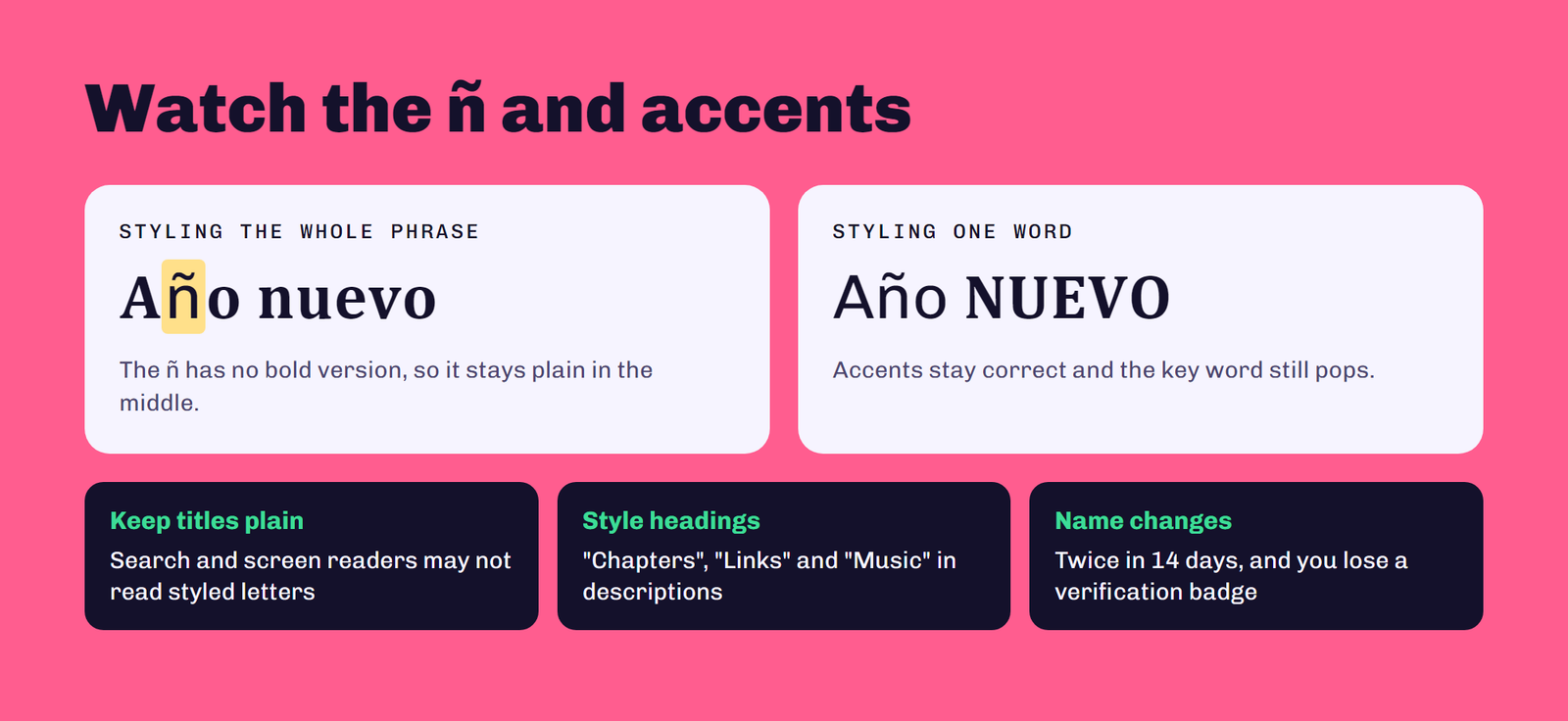
This is the part most Spanish-language generators don’t mention. Unicode’s fancy alphabets only cover the 26 basic letters a to z. There’s no bold ñ, no script á, no gothic é. So if your text has ñ or accents, those letters stay plain while the rest change style. “Año nuevo” might come out with a plain ñ in the middle of bold letters.
You have two options. Pick words without ñ or accents for the styled part, or style only one key word and leave the rest in normal text. Your accents stay correct, and your text still stands out.
Tips for Using Fancy Letters on YouTube
Keep searchable words plain. YouTube search and screen readers may not read styled characters as normal letters, so keep your video titles, keywords and the first lines of your description in regular text. Style a heading or one word for emphasis instead of whole paragraphs. And remember that changing your channel name is limited: YouTube lets you change it twice in 14 days, and changing it removes a verification badge if you have one.
Compatibility
Most phones and computers made in the last several years display these characters correctly. Very old devices or some smart TVs may show empty boxes instead. If you’re styling something important, check how it looks on a phone and a computer before you publish.
Frequently Asked Questions
Can I use fancy letters in my YouTube handle?
No. YouTube handles only accept letters or numbers from its 75 supported languages, plus underscores, hyphens, periods and Latin middle dots, so decorative Unicode letters won’t work.
Can I use fancy letters in my YouTube channel name?
You can try. YouTube doesn’t publish character rules for channel names beyond its Community Guidelines, but keep the name readable so people can search for it.
How often can I change my YouTube channel name?
YouTube lets you change your channel name twice within 14 days. Your handle can also be changed twice within 14 days.
Why doesn’t the ñ change style?
Unicode’s fancy alphabets only include the basic letters a to z, so ñ and accented letters have no styled version and stay plain.
Conclusion
Letras para YouTube are an easy way to make your descriptions, comments and community posts stand out. Use the generator above, keep your handle and video titles in plain text, and style just one word when your text has ñ or accents. For other platforms, try our letras para Twitch and letras para Instagram.